


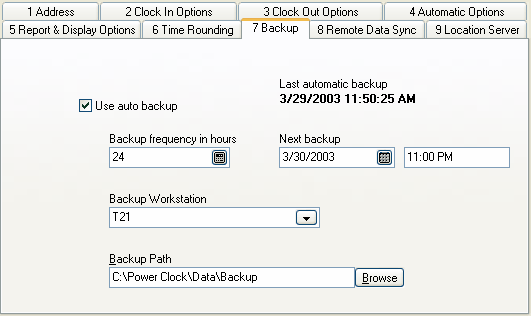
Use auto backup
Check this box to enable automatic backup of your data files. This is highly recommended. If enabled then backup files will be created with the file name "Full Backup YYYYMMDD HHMMSS.ZIP" using the current date and time. Backups are compressed and stored as ZIP files to save space. You can use Power Clock's built-in restore method or any ZIP compatible program such as WINZIP to extract the files.
Be sure to enter the backup workstation below.
Backup frequency in hours
Your data will be automatically backed up every 24 hours by default.
Next backup
The date and time of the next automatic backup. If this date/time has already passed then data will be backed up within the next minute.
Backup workstation
The workstation that will perform the backup. Make sure this workstation has Power Clock running or the backup will not occur. For single user installations use your current computer name here.
Backup path
Where the backup ZIP files will be stored. Make sure the folder path your enter here exists on the backup workstation.