


Menu: Actions
The check lunches and breaks procedure should be run periodically to check if your employees are taking enough lunches and breaks. If you don't care how much lunch or break time they take then you can ignore this feature. This procedure is a good way to catch employees who forget to clock out for lunch and/or breaks.
Check Lunches and Breaks screen
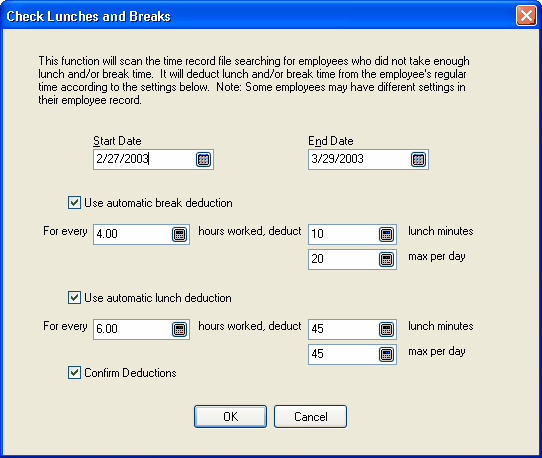
The screen is filled in with the values you set in your current location configuration on the Automatic Options page. You can change the values here before you run the procedure. If any employees have the settings overridden in their employee record then these global settings will not affect them.
When you click OK, the procedure scans the time records. For each employee it totals their regular hours worked each day. If they did not take enough lunches or breaks according to the settings here, then the proper amount of time is deducted from their regular hours and new lunch and/or break records are created. You will be asked for confirmation before the time is deducted.
See also
Location Automatic Options
Employee Automatic Options